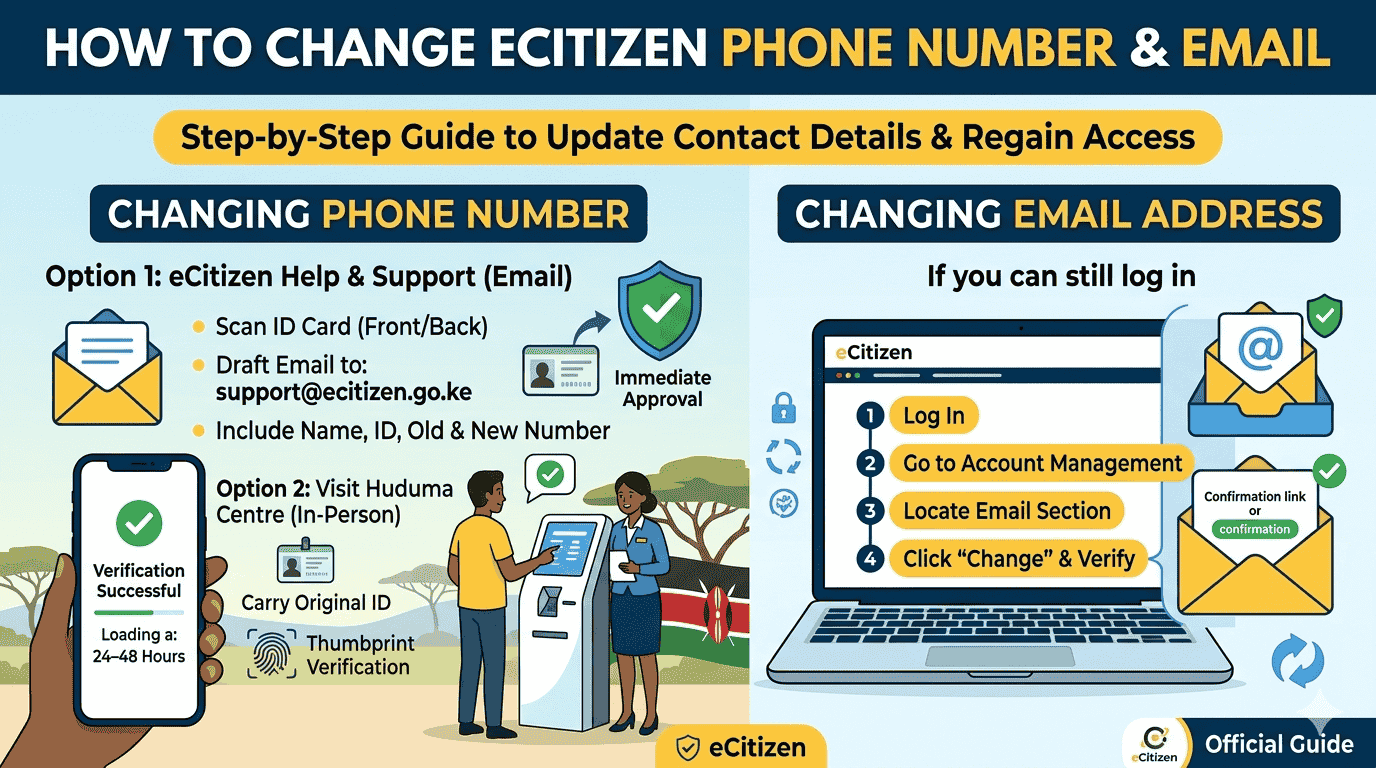
Accessing your eCitizen account requires two-step verification. After entering your ID number or email and password, an OTP is sent to your registered phone number or email. If you’ve lost access, this guide explains the official steps to update your phone number or email and regain account access.
How to Change eCitizen Phone Number
Because eCitizen sends a unique code (OTP) to your phone for every login, changing a lost or inactive number requires manual verification from the eCitizen support team.
Option 1: Via eCitizen Help & Support
This is the most convenient method if you cannot visit a physical office.
- Scan Your ID: Take clear, colored scans of both the front and back of your Original National ID card.
- Draft the Email: Use the official support email: support@ecitizen.go.ke.
- Include Vital Details: In your message, clearly state:
- Your Full Name.
- Your ID Number.
- The Old/Current phone number registered on the account.
- The New phone number you wish to link.
- Send and Wait: Once sent, the technical team will verify your identity and update the records. This typically takes 24–48 hours.
Option 2: Via Huduma Centre (In-Person)
If you need an immediate resolution or are having trouble with email, visit any Huduma Centre nationwide.
- Requirement: Carry your Original National ID.
- Action: Visit the eCitizen/Cyber Cafe desk.
- Verification: The agent will verify your thumbprints or ID details and update your primary phone number on the spot.
Also see: Requirements for Passport Application in Kenya
How to Change Your eCitizen Email Address
Unlike the phone number, you can update your email address directly from the portal if you can still log in.
- Log In: Access your eCitizen account.
- Navigate to Settings: Click on your name/profile icon and select Account Management.
- Find Access Information: Locate the “Email Address” section under account access info.
- Edit and Save: Click the Change button, enter your new email address, and follow the prompts to verify the new address via a confirmation link sent to your inbox.
Professional Support Notice
For specialized assistance with eCitizen services, you can reach out to JO-TECH Cyber:
- Call/WhatsApp: +254 710 200 886
- Email: info@jotechcyber.co.ke