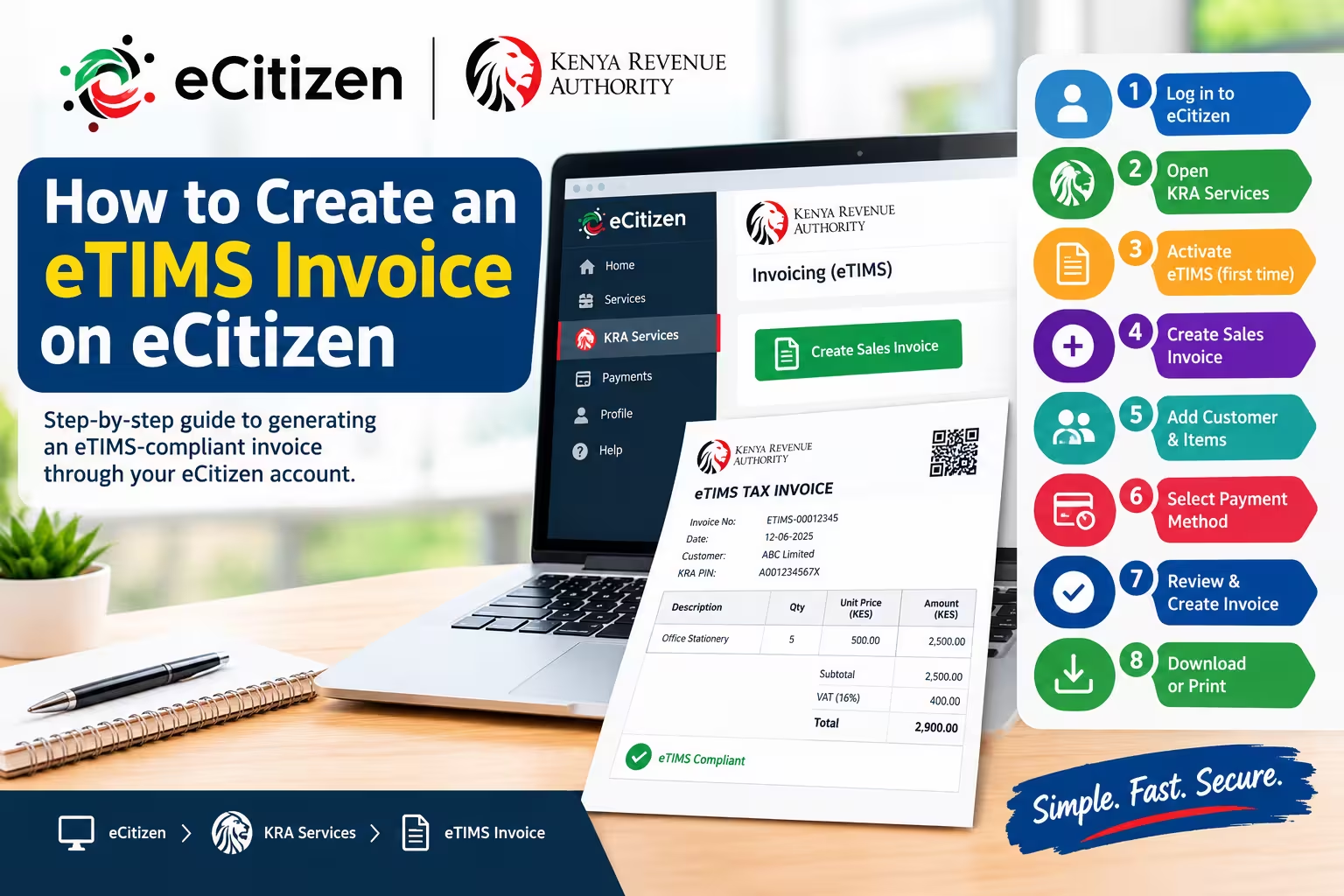
To create an eTIMS invoice on eCitizen, log in to ecitizen.go.ke, open KRA Services, and select Invoicing (eTIMS). Activate e-invoicing if prompted, add your customer details, enter your items and pricing, then click Create Invoice to download your official KRA receipt.
Requirements
Before generating your electronic tax invoice, ensure you have an active eCitizen account registered in your name or business. You will also need your buyer’s KRA PIN if you are issuing a B2B business invoice, or their contact information if issuing a consumer receipt.
Step-by-Step Guide: How to Create an eTIMS Invoice on eCitizen
1.Log In to eCitizen and Access KRA Services:
Visit the eCitizen portal and sign in with your ID or email credentials. Locate the KRA Services tab on the platform dashboard, wait for the page to load, and click the Sign In button at the top right to authenticate your session.
2.Select Account Type and Open Invoicing (eTIMS):
Choose whether you are issuing the invoice under your Personal Account or an Organization Account, then click Proceed. On the left navigation menu of the KRA portal, click on the Invoicing (eTIMS) tab.
3.Activate E-Invoicing (First-Time Setup):
If this is your first time using the module, accept the eTIMS Terms & Conditions and check the Privacy Policy box. Click Activate E-Invoicing to initialize your electronic invoicing account.
4.Create Sales Invoice and Add Customer Details:
Click the Create Sales Invoice tab and select Add New Customer. Choose whether the buyer is an Individual or Non-Individual, enter their KRA PIN for validation, or select Add without PIN if they do not have one. Complete their email, phone number, and billing address information.
5.Add Products or Services Rendered:
Click on the Add Item button to add products or services to the invoice. Specify the item description, unit price, quantity, and applicable tax rate, then click Save.
6.Select Payment Options and Add Notes:
Choose your customer’s payment option from the dropdown menu. You can optionally add payment instructions, custom invoice notes, or business terms and conditions.
7.Generate, Download, and Share the eTIMS Invoice:
Review all billing figures for accuracy and click Create Invoice. Your official eTIMS invoice containing the mandatory KRA QR code will be generated instantly. You can download the PDF, print physical copies, or email it directly to your customer.
Read: How to Pay KRA Penalty Online: Complete Guide
Frequently Asked Questions
What is an eTIMS invoice?
An eTIMS invoice is an officially validated electronic tax invoice generated through the Kenya Revenue Authority’s (KRA) system. It includes a unique KRA QR code and control number that verifies the transaction was transmitted directly to KRA in real time for tax compliance.
Where can I find my eTIMS invoice?
You can find all your previous invoices inside the Invoicing (eTIMS) module on eCitizen under the Sales Invoice section. This dashboard lists your entire transaction history, allowing you to view, redownload, or reprint any eTIMS invoice at any time.
Can I issue an eTIMS invoice without VAT?
Yes, non-VAT registered businesses and small enterprises can issue eTIMS invoices without charging 16% VAT. The eTIMS Lite web tool on eCitizen automatically sets non-VAT supply options for non-registered taxpayers so you remain fully compliant.
Need Expert Assistance with eTIMS?
If you face any challenges activating your eTIMS account or generating invoices for your clients, professional help is available.
Call or WhatsApp +254 710 200 886 for direct setup guidance, or visit JO-TECH Cyber in Mbale town, Kenya for full digital support and tax compliance services.